Posts

Production: Film Review
Image
  Hey blog, it's me. Jenna, welcome back here to tell you our film review. For our film review, we had our friend Franshesca watch our video and tell us what we did wrong. First, she pointed out how we missed so many camera angles. Then she pointed out that we forgot our credentials, which I already knew, but I just have to remember to do that soon and not wait till the last minute. But more importantly, we need to fix those camera angles, like yesterday. As I said in past blogs, we can only film on the day we filmed, but now we are going to have to move some stuff around so we can film again. Luckily, it wasn't that many, but we still need to fix them so we can get a good grade. The camera angles we missed are high angle, low angle, tilt shot, dissolve shot, shot reverse shot, and the establishing shot. We don't have to redo the establishing shot, but we can do it better. All of these shots are definitely a setback, but they are not the worst things in the world to fix. To...

Production: Music

Image
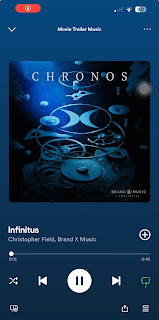
  Hey blog, it's me Jenna, welcome back here to tell you about the process of choosing our music. Since we came up with it, I have had this idea in my head, and I can't quite put my finger on where I found it. Ever since then, I have been looking for this certain beat, and I wouldn't say I found the perfect one, but it's definitely the closest. Since I pay for Spotify Premium, I have access to a platform full of free songs and beats. The beat I chose is called Infinitus by Christopher Field and Brand X Music. When I was looking for a beat, all the ones under the mystery genre sounded too spooky or like a horror sound, and I didn't want that because our genre isn't horror. It starts off slow and then moves into a more rapid and sped-up beat. I like this because it gives the illusion of a mystery film. For example, they always start off with a normal story, then boom, a mystery presents itself, and then while the characters are trying to figure out the mystery, it...

Production: Editing

Image
 Hey blog, it's me Jenna, welcome back here to tell you about our editing process. The day we filmed was the day we edited as well. As we know, I don't mind editing, so it has been no problem for me to edit and film these past two projects. I prefer it more than acting, and I like how I'm in charge so I can make sure it goes right. But now we are going to talk about adding the credentials. Although we aren't quite done with the credentials, we only need one more, which is the name of the studio and the name of the production company. All of these credentials are in red, white or black depending on the background.Next, we have the actor names, which are Zoe Reyes, Mia Hoepelman, and Jenna Antonelli. All of us were in at least one scene, and those are our only actors. Next we have the film title, which is The Call, which we came up with off of the plot of the story. Next, we have the music by Christopher Field and Brand X Music. Next is edited by Jenna Antonelli, also kno...

Production: Editing

Image
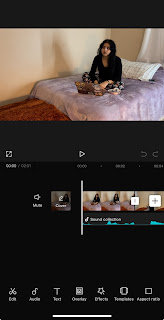
 Hey blog, it's me Jenna, welcome back here to tell you our editing process. Now that you know how we filmed, you can now understand our editing process. So to start off, we filmed on an iPhone in the camera app, and there were a lot of retakes, so I had to go back through and pick out the best takes of each scene and make sure I didn't skip any. Next, I had to edit them in the Photos app before I put them all together. For example, I cut them down so they fit into our time frame of MAX two minutes, and it was easier to do it in the photos app rather than in CapCut. Not only did I have to edit the length of the scene, but I also had to mute some scenes that weren't meant to have sound. Next, I went onto CapCut, transferred all the scenes to CapCut, and pieced them all together. To piece them all together is very easy; you just click them in the order you want them, and then they automatically go together. After that, I was still off with the timing, so I fixed that and was ...

Production: Filming

Image
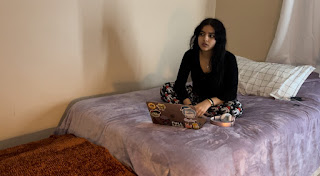
  Hey blog, it's me Jenna, welcome back here to tell you our filming process. In the last blog, I told you about the first part of our day, but now I'm going to tell you about the actual process of filming the video. First off, we have 30 scenes, and our idea for our video is supposed to be like, you know, when you see trailers, it's like a two-second clip of a scene from the movie with like a couple of words and then cuts to the next scene with music in the background. I don't know if that made any sense, but I'm trying to give a better visual. And I would give you an example. For the entire duration of the time we have been doing this project, I have been able to think of the trailer. But of course, our video is not award-worthy, but I think for some high school students, we did pretty well. For example, we didn't give away the entire plot, and we did everything we were supposed to. But during our filming, we were pretty quick with it, like we didn't have ...

Production: Filming

Image
 Hey blog, it's me Jenna, welcome back here to tell you our filming process. So to start off, we filmed on February 19th and, thankfully, got it all done in one day. And not only did we get all the filming done in one day, but after that, I was able to edit it in only an hour, so if you ask me, that's pretty good timing. Since we started filming so soon and got it done so soon, we had time to take a break before we had to do our production blogs. To start off, I had to wake up bright and early to clean my house so it was clean for the video. Then that day we filmed, I went and picked up my group mates since I'm the only one with a car and took them to the place we were filming at, which was my house. Although first we had to get some food because we were starving, how were we supposed to focus on an empty stomach?Whatever i'm getting off track, after we ate our food we were able to work and focus. So in our video, my group mate Mia and Zoe were the actors while I was fi...

Storyboard

Image
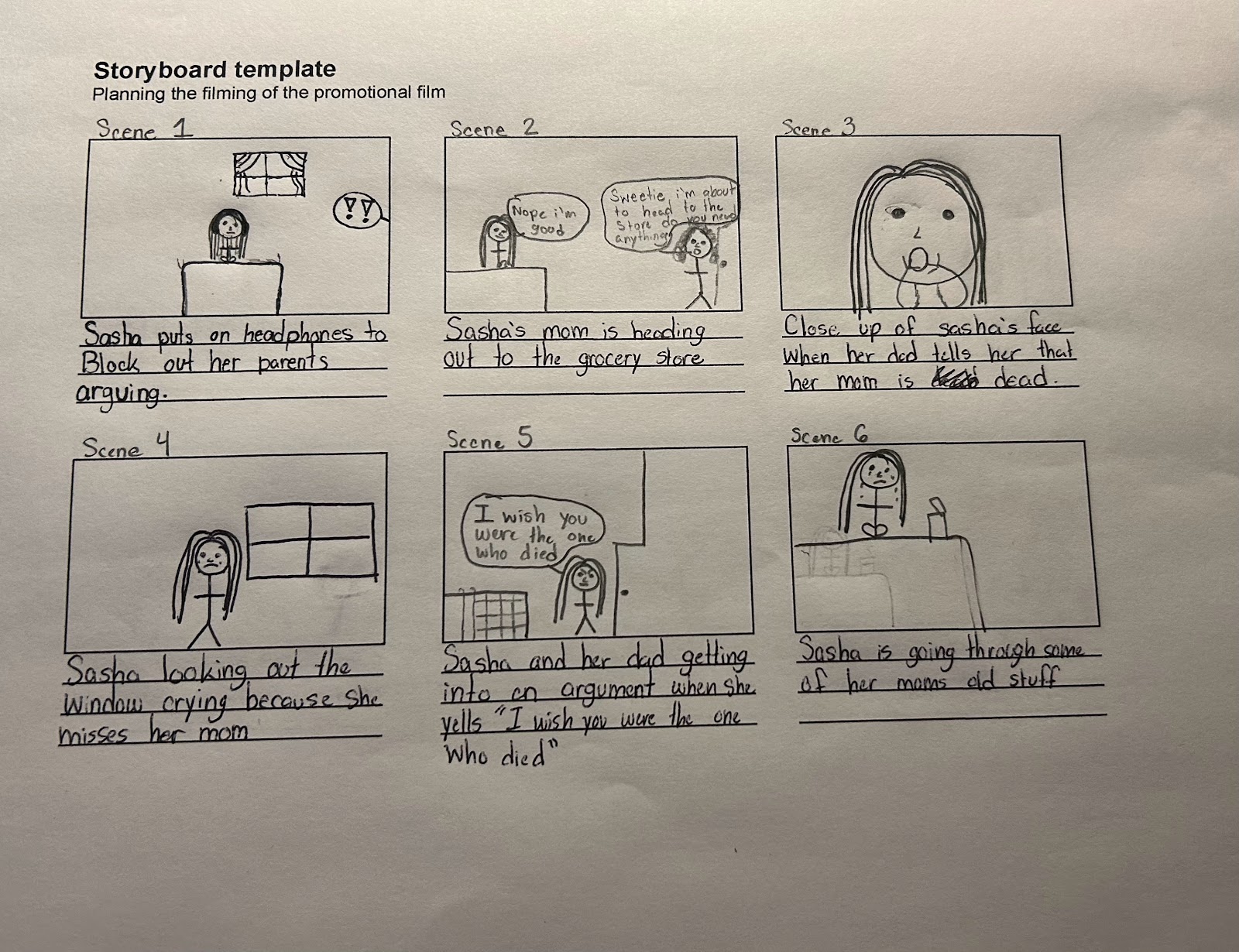
  Scene 1: Sasha puts her headphones on to block out her parents fighting  Scene 2: Sasha's mom is heading out to the grocery story  Scene 3: Close up of Sasha's face when her dad tells her that her mom is dead  Scene 4: Sasha looking out the window crying because she misses her mom Scene 5: Sasha and her dad get into a fight and she screams " i wish you were the one who died" and slams the door  Scene 6: Sasha is sitting on her bed going through her moms old stuff Scene 7: Sasha finds her moms old necklace  Scene 8: Sasha opens up to her friend about how much she misses her mom  Scene 9: The screen cuts out then back in to the same scene where Sasha says "I know this sounds crazy but I don't believe she is gone" Scene 10: Sasha is making herself food all alone  Scene 11: Sasha is eating all alone  Scene 12: Sasha is leaving school and is saying bye to her friend Scene 13: Sasha is walking home from school  Scene 14: Sasha is still walki...